
注:只有国外服务器才有效果国内不建议使用
1.打开网站输入http://www.dhhblog.com/?p=50
2.根据提示改好dns
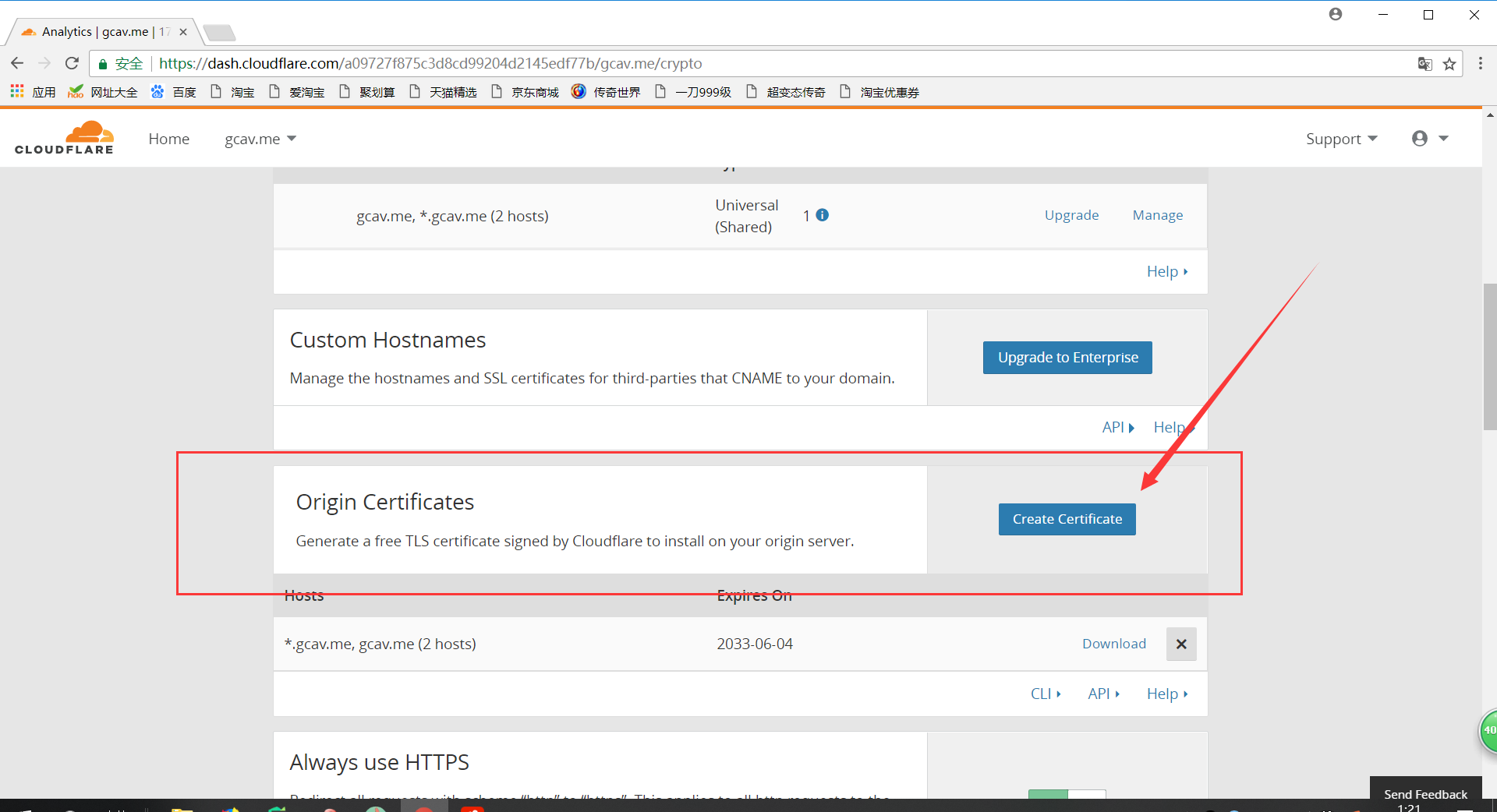
3.点击菜单栏上的crypto,并点击Create Certificate
4.点击next
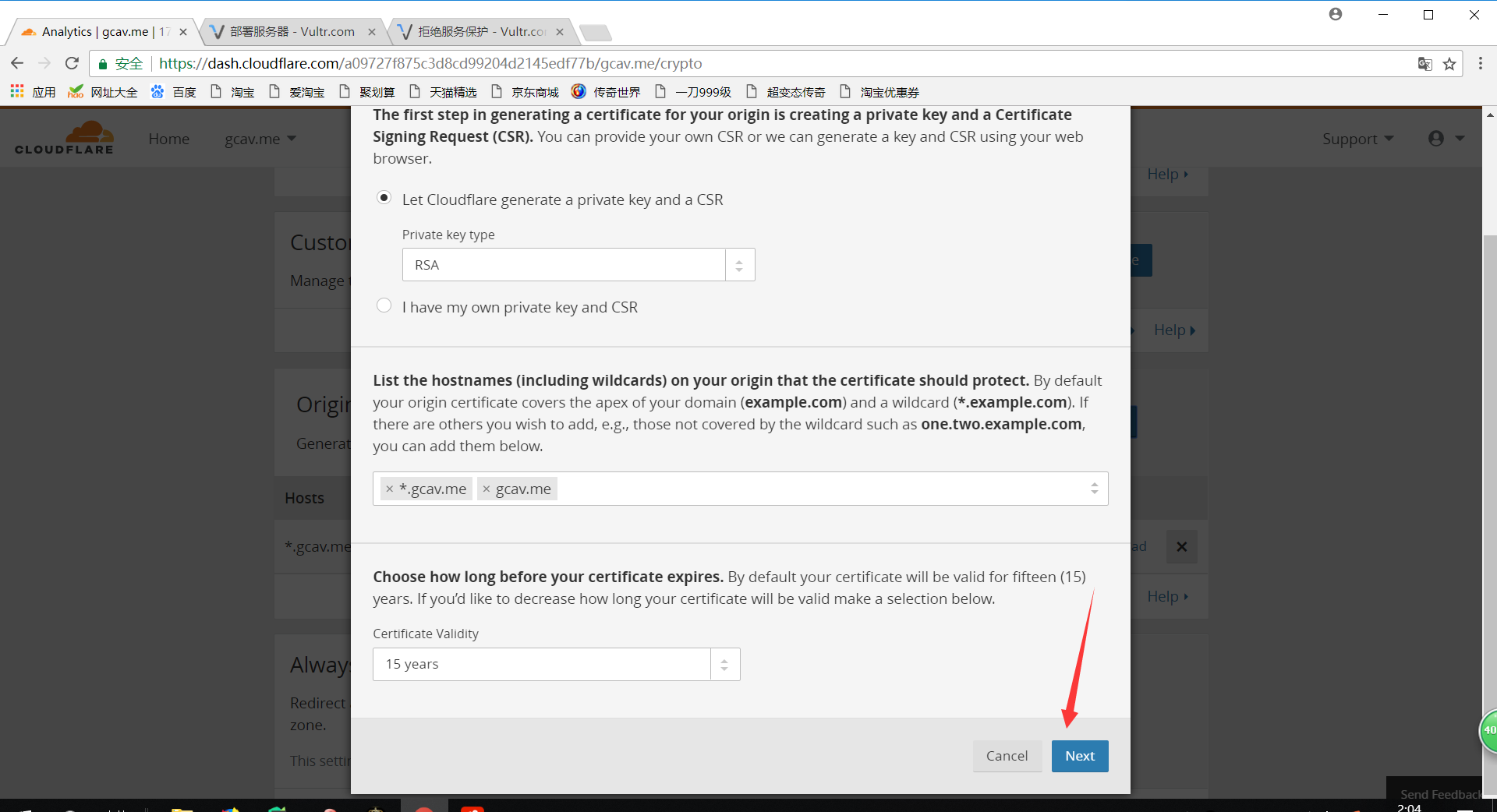
5.在服务端任意目录下创建两个文件分别为example.com.pem 和 example.com.key
6.将证书复制粘贴到example.com.pem里,再将秘钥粘贴到 example.com.key里保存(注:请不要用谷歌翻译后复制证书和秘钥)
7.根据服务端的web服务选择Web Server for Installation
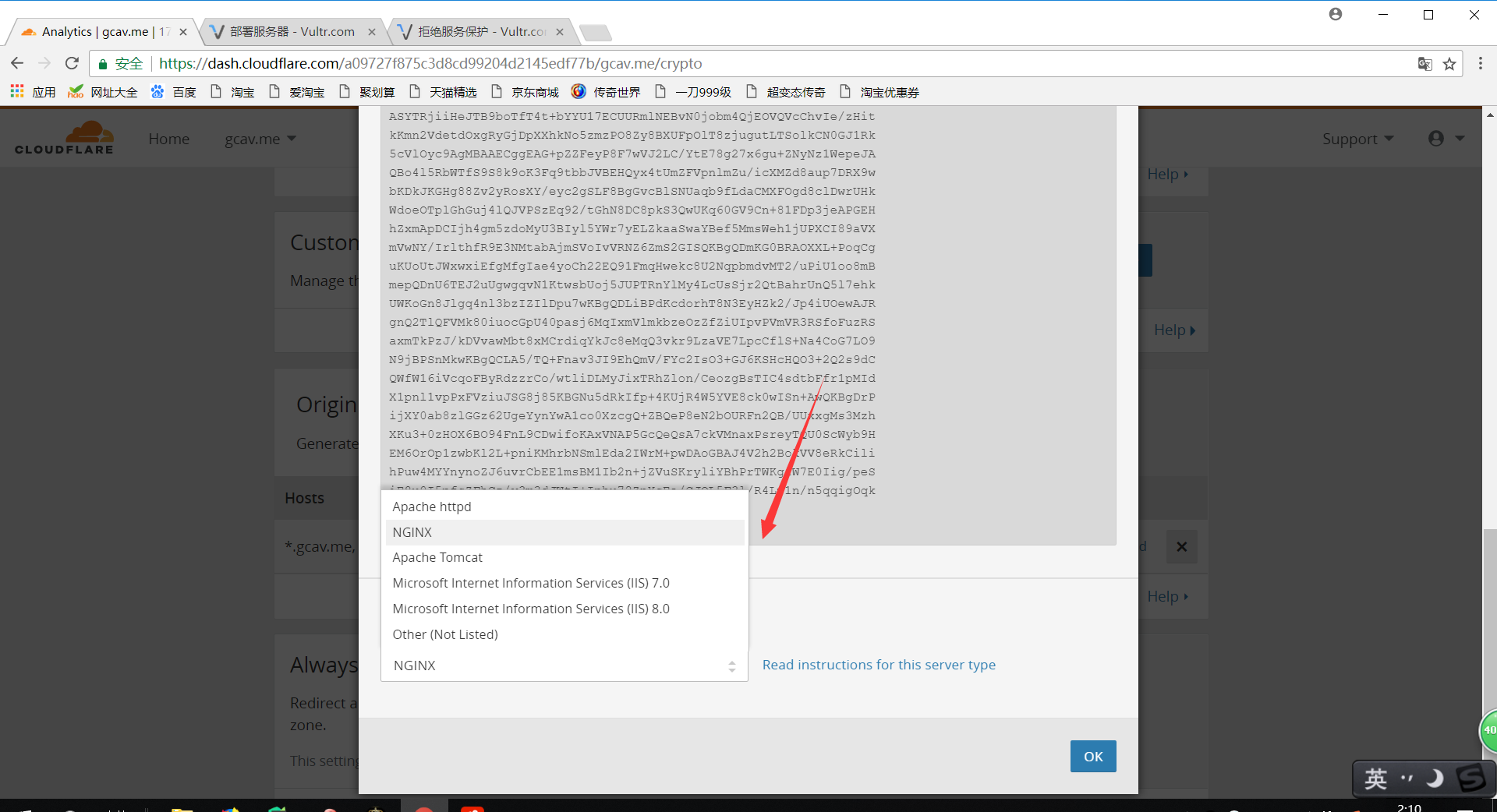
8.修改nginx配置文件(apache或者其他web服务请看官方文档)
server {
    listen 80;
    listen 443 ssl;
    if ($server_port !~ 443){
        rewrite ^(/.*)$ https://$host$1 permanent;
    }
    ssl_certificate 证书.crt;
    ssl_certificate_key 密钥.key;
    ssl_ciphers ECDHE-RSA-AES128-GCM-SHA256:HIGH:!aNULL:!MD5:!RC4:!DHE;
    ssl_prefer_server_ciphers on;
    ssl_session_cache shared:SSL:10m;
    ssl_session_timeout 10m;
    error_page 497  https://$host$request_uri;
  #ssl配置结束
    server_name  www.dhhblog.com dhhblog.com;
    root   站点目录;
    index  index.php index.html index.htm;
    location ~ .*\.(php|php5)?$ {
        root 站点目录;
        fastcgi_pass  127.0.0.1:9000;
        fastcgi_index index.php;
        include fastcgi.conf;
    }
}
9.检查nginx语法,如果正确重启即可,错误请检查配置文件是否正确或者更换证书,秘钥.
10.nginx重启成功以后浏览器输入https://域名,如果发现前面是绿色就成功了
https访问网站可以防止dns劫持能问题,能让用户信任网站